
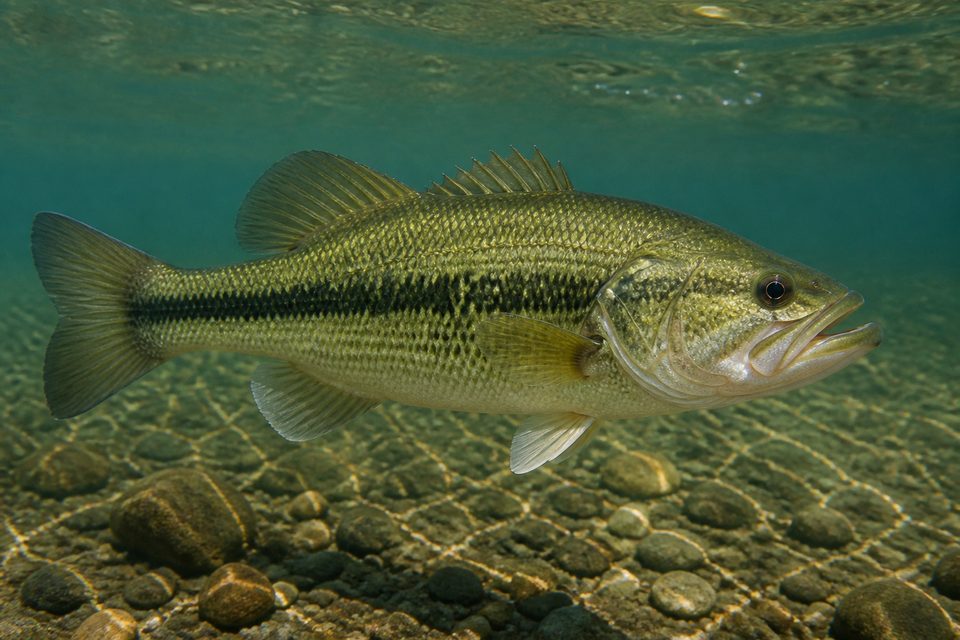
 Illustrative Example
Likely Species
Largemouth Bass
- Fish Type
- Freshwater Game Fish
Visible Clues
- Long body with a deep mouth
- Dark lateral stripe
- Olive-green back and pale underside
Possible LookalikesSmallmouth Bass · Spotted Bass
Upload one clear fish photo to get a likely species match, habitat clues, possible lookalikes, and a practical next step in seconds. This fish identifier is a quick first check when you want to know what fish this is before comparing a guide or asking an expert.
Fish Identifier Online
Start with a clear side view. Drag and drop a photo, browse your device, or take a photo on a supported mobile browser. The fish identifier compares visible evidence in the image, so a complete profile is more useful than a distant or obstructed snapshot.
or click this area to choose an image
A clear, well-lit photo gives the fish identifier more visible detail to compare.Submit one photo when you are ready.
Supports JPG, PNG, and WEBP · Max 10MB
Illustrative Fish Examples
These illustrative fish images demonstrate the result layout. Each case shows a likely species, fish type, visible clues, lookalikes, and a next step. Use the examples to separate an initial match from the evidence that supports it.
Illustrative Example
Likely Species
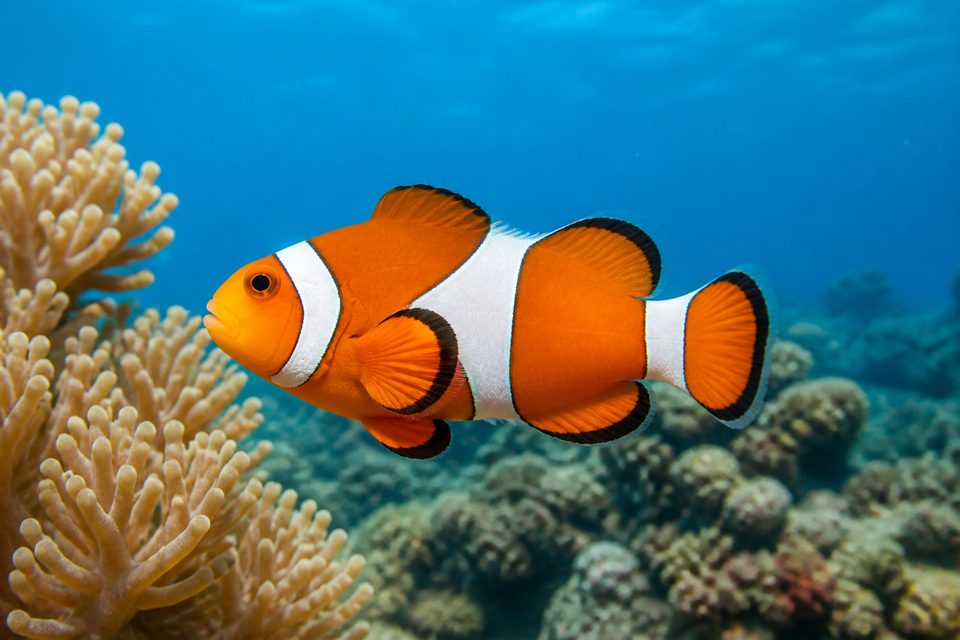 Illustrative Example
Likely Species
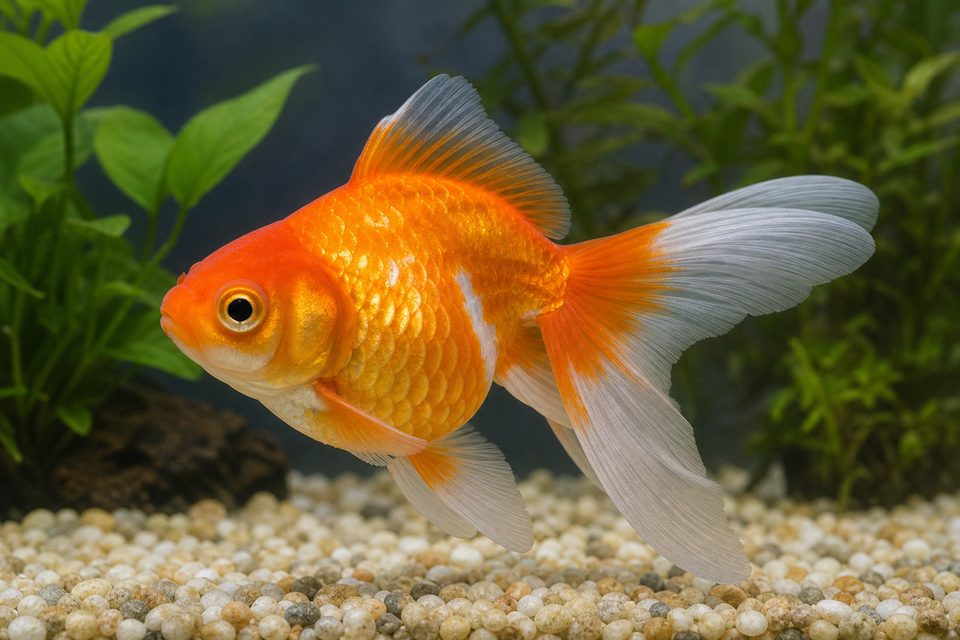 Illustrative Example
Likely Species
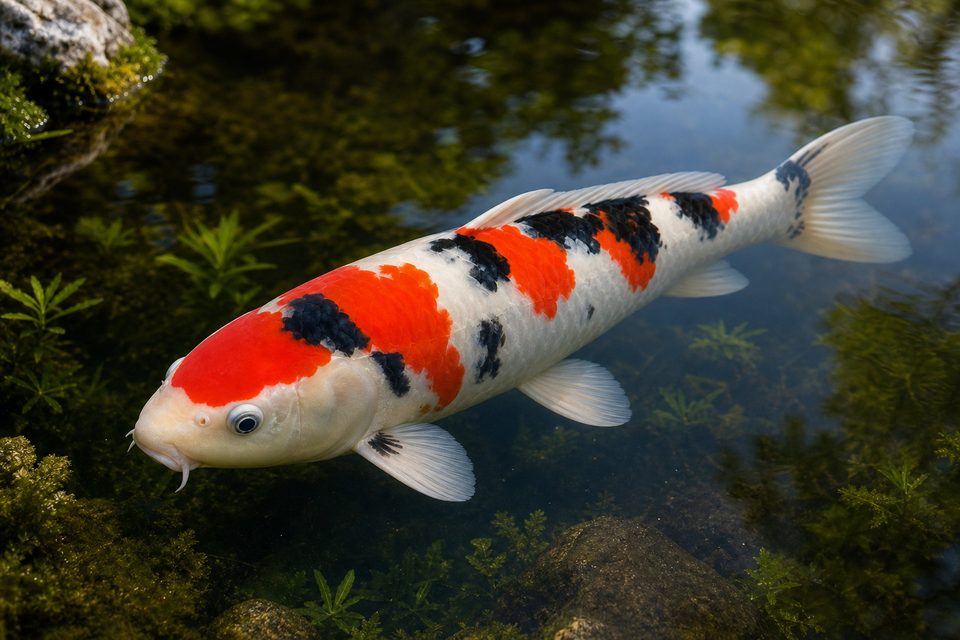 Illustrative Example
Likely Species
The images and result text are illustrative examples. A photo-based result cannot confirm exact species, sex, age, health, safety, legal status, or professional classification.
Fish Identifier Tools
Use the same photo workflow for common freshwater, saltwater, aquarium, pond, and reef fish. Choose a clear view and let the result explain the visible evidence instead of relying on a name alone. These paths help you frame the right context, whether the fish came from a lake, a coastal trip, a home tank, or a garden pond.
How to Use the Fish Identifier
The online fish identifier keeps the first attempt focused: choose a photo, submit it, and read the likely species with its visual context. You do not need to name the fish before uploading it; the workflow starts with the image and makes the next research step easier to understand.
Drag and drop an image, use Browse Files, or take a photo on a supported mobile browser. Only JPG, PNG, and WEBP images up to 10MB are accepted. Choose the clearest original file you have rather than a screenshot of a screenshot.
Select Identify This Fish. The button stays disabled until a valid image is selected, and the loading state prevents duplicate submissions. Check the preview once before sending so the fish is not cropped out or hidden by glare.
Read the likely species, fish type, visible clues, possible lookalikes, and the suggested next photo or expert follow-up. Treat the match as a reasoned starting point, then verify important details with a trusted local source.
Better Fish Photos
A photo-based fish identifier can only compare what the camera captures. These changes make visible evidence clearer for a fresh catch, a moving aquarium subject, or a fish photographed through glass.
Use soft natural light or an evenly lit aquarium. Avoid harsh reflections, flash glare, deep shadows, and strong color casts. Neutral light keeps stripes, spots, and the true body tone easier to compare.
Tap to focus and hold the camera steady. Keep the eye, mouth, fins, and body markings as clear as possible. If the fish is moving, take several frames and choose the one with the least motion blur.
A side view that includes the tail, dorsal fin, belly, and head is usually more useful than a partial or distant view. Leave a little space around the fish so the outline is not cut off.
Move square to the aquarium glass, avoid a bright background, and keep the water clear enough to show the body pattern. Wipe the outside of the glass and turn off nearby reflections when possible.
What the Fish Identifier Looks For
Fish identification is not based on one color alone. The tool considers several visual signals together, then reports uncertainty when a photo does not provide enough evidence. That matters because lighting can change color, juveniles can look different from adults, and unrelated fish may share a stripe, spot, or body shape.
Body depth, snout shape, tail shape, dorsal fins, pectoral fins, and fin placement can separate visually similar fish. The outline often remains useful even when the image color is imperfect.
Stripes, bars, spots, patches, lateral lines, and the contrast between the back and belly can point toward different species. Markings are most helpful when they are visible across the whole side.
Visible eye size, mouth position, barbels, scale texture, and head profile may add useful context to the visual comparison. A close but unblurred head view can resolve lookalikes that share a general body color.
Freshwater, saltwater, reef, pond, aquarium, vegetation, shelter, and other scene details can help narrow the likely fish type. Context supports the match, but it does not replace the fish's visible anatomy.
A photo cannot reliably determine age, sex, health, toxicity, food safety, legal status, exact location, or genetic identity. Use a qualified expert or current local guidance when those answers matter.
Fish Identifier FAQ
Direct answers about fish photos, supported habitats, privacy, access, accuracy, and professional limits.
A fish identifier compares visible details in a photo, such as body shape, fins, color, markings, eyes, mouth, and habitat context, then suggests a likely fish match. It is a useful visual starting point, not a scientific certification.
Upload one clear photo to Fish Identifier and select Identify This Fish. The result can show a likely species, fish type, visible clues, possible lookalikes, and a suggestion for a better follow-up photo.
Yes. Fish Identifier is designed as an online tool. Open it in a modern browser, upload a JPG, PNG, or WEBP photo, and submit the image when you are ready.
The tool can consider common freshwater, saltwater, aquarium, pond, and reef fish when the submitted photo contains useful visual evidence. Results remain photo-based suggestions rather than guaranteed species records.
Use even natural light, keep the fish in focus, show as much of the body as possible, and avoid strong reflections or murky water. A clear side view that includes the fins, eye, and markings is usually most useful.
Photo-based identification depends on lighting, focus, camera angle, water clarity, species similarity, and how much of the fish is visible. Fish Identifier does not promise a fixed accuracy percentage; use the result as a starting point and seek expert help when certainty matters.
The tool is free to open, choose a photo, and preview an example result. An active paid plan or credit balance is required to submit a live fish identification request.
No. A photo cannot confirm food safety, toxicity, contamination, legal catch limits, protected status, or local fishing regulations. Check current local guidance and consult a qualified authority before making a safety decision.
Location and habitat context can help narrow a visual match, but a photo alone cannot verify where a fish was caught or prove a local record. Confirm important findings with a regional field guide or expert.
The image is kept in the browser until you choose to submit it. When submitted, it is sent to the identification service for processing. Review the Privacy Policy for current information about temporary processing, service providers, retention, and your choices.
Ready to look closer?
Upload a clear photo and use the result as your next research step. When the visual evidence is not enough, the tool will say so and suggest a better way to continue. For food safety, protected species, catch limits, or other high-stakes decisions, confirm the result with current local guidance and a qualified authority.